
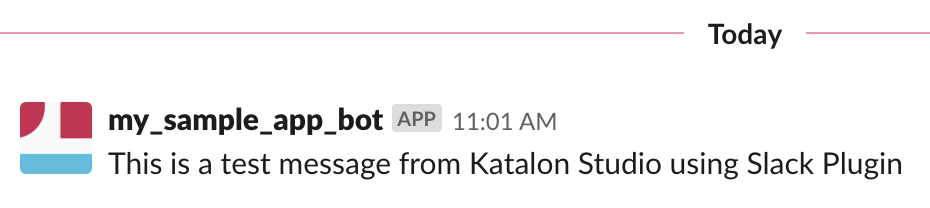
This Katalon Studio plugin provides Slack integration functions.
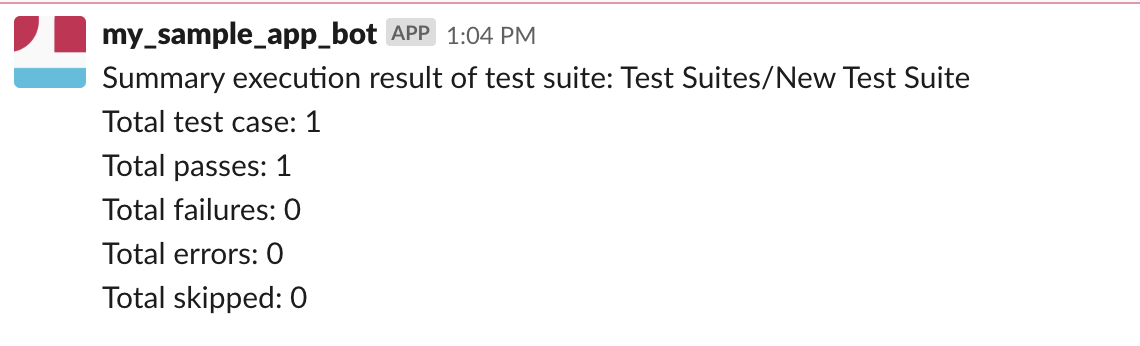
The main purpose is to collect and send a summary report of an execution to a channel after the execution has completed.
Requirements:
- JDK 1.8
- Maven 3.3+
mvn clean package
- Install the Katalon Studio v6.0.3 or later: win32, win64, macOS, and linux64.
- Choose Plugin > Install Plugin in Katalon Studio main menu and select the generated jar file.
- Click on Slack toolbar button to configure Slack Integration settings that is under is under Plugins category of Project Settings.

- Uncheck Using Slack, and enter your Slack Authentication Token and a channel name.
- Click the Test Connection to check your credentials. If everything is OK, a message should be sent to Slack.

- Click the Apply button then OK to close the Project Settings dialog.
- Execute a test suite and wait for the execution finished, a summary message should be sent to your Slack channel.

Katalon TestOps is a web-based application that provides dynamic perspectives and an insightful look at your automation testing data. You can leverage your automation testing data by transforming and visualizing your data; analyzing test results; seamlessly integrating with such tools as Katalon Studio and Jira; maximizing the testing capacity with remote execution.
- Read our documentation.
- Ask a question on Forum.
- Request a new feature on GitHub.
- Vote for Popular Feature Requests.
- File a bug in GitHub Issues.
Katalon Studio is a free and complete automation testing solution for Web, Mobile, and API testing with modern methodologies (Data-Driven Testing, TDD/BDD, Page Object Model, etc.) as well as advanced integration (JIRA, qTest, Slack, CI, Katalon TestOps, etc.). Learn more about Katalon Studio features.
Leave a Reply